
HelpKnock

Be found without a network.

When a disaster takes the network down, your phone becomes a Bluetooth beacon: rescuers nearby can find you, see how you are, and message you. No signal needed.

Download on the App Store

Free · iPhone and iPad · iOS 18.6 or later

Not a replacement for emergency services. If you have any signal, call 119 or your local emergency number first.

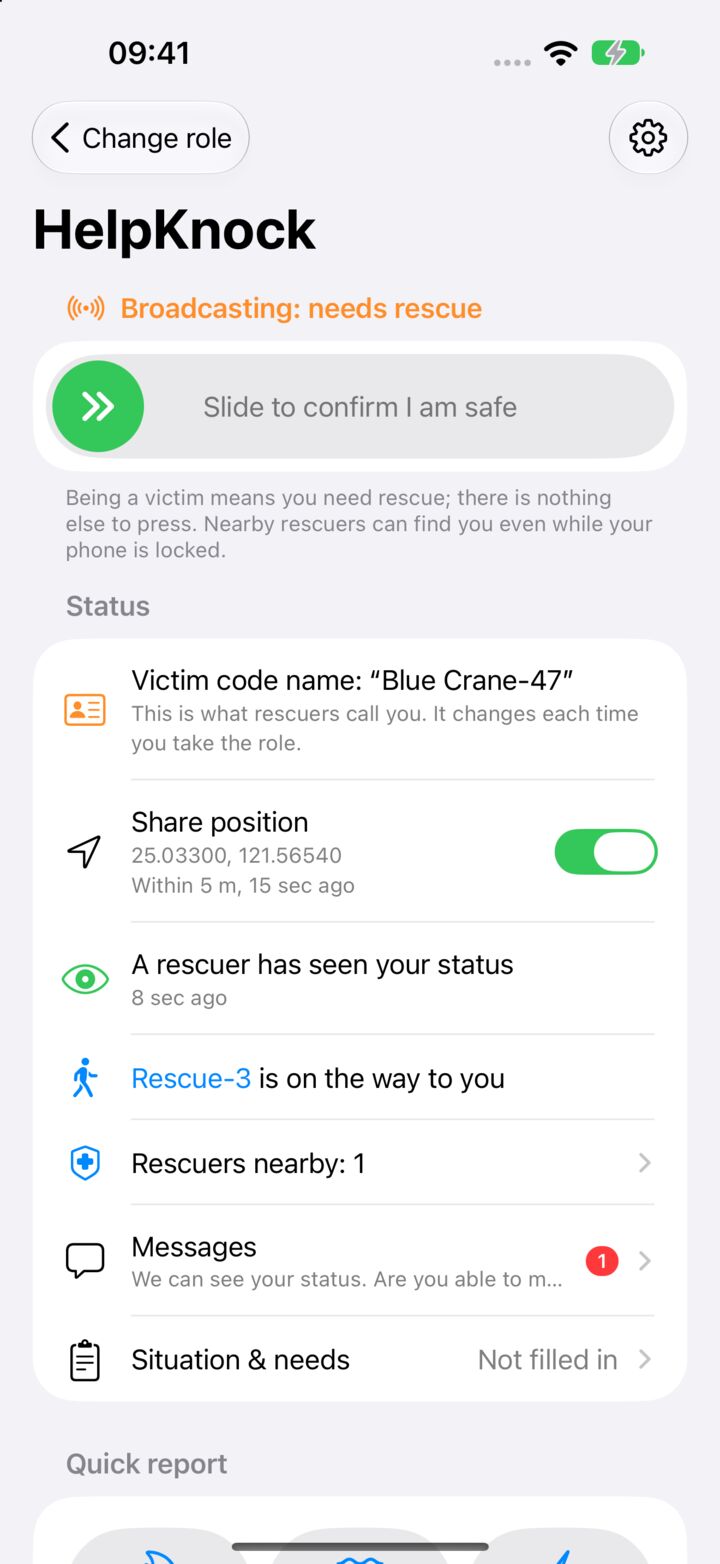
HelpKnock broadcasting for a person who needs help, with a slider to confirm they are safe and a note that a rescuer has seen their status.

How it works

Three steps, and only one of them in an emergency.

  1. 1

    Get ready today

    Fill in your details, choose what to share, and allow Bluetooth, Location and Motion & Fitness while you are calm.

  2. 2

    Tap “I need help”

    Your phone starts broadcasting at once and keeps going with the screen locked. No SOS button, nothing to type.

  3. 3

    Rescuers find you

    Rescuers nearby see your battery, how long the phone has been still and your last known position, and can message you.

For people who need help

One tap, then it keeps working for you.

  • Battery, time since you last touched the phone and your last position are shared automatically.
  • Report fire, flooding, live wires, gas or injuries with one switch each, one hand.
  • See how many rescuers are nearby and whether one has read your status, and message them.
  • Check the unit and skills a rescuer entered, and report or block anyone who seems wrong.
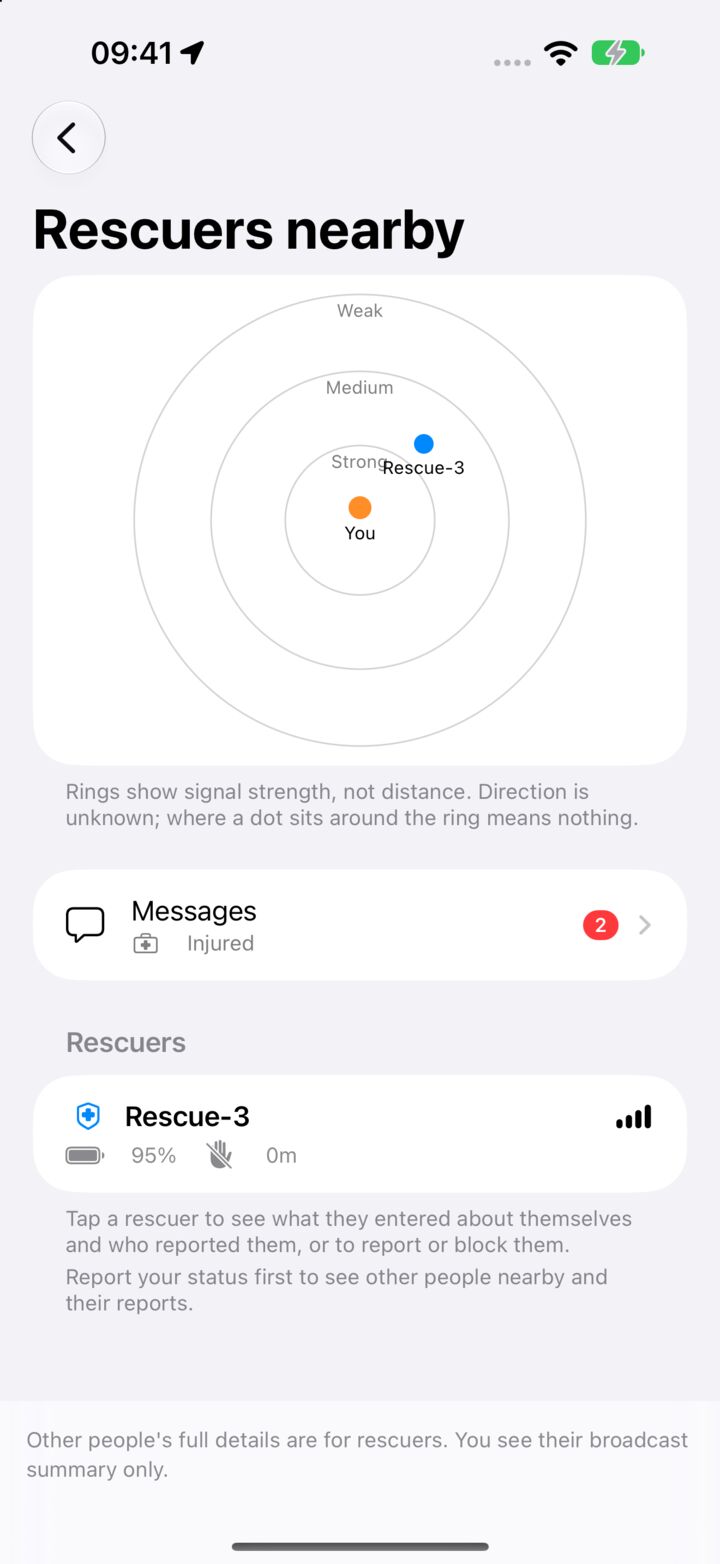
Rescuers nearby, as seen by a person who needs help: a radar, unread messages and a rescuer's card.

For rescuers

See who needs help first.

  • One card per person: battery, idle and still time, hazards and headcount at a glance.
  • A radar of the beacons you can hear, plus people only other rescuers can hear.
  • Mark “I am handling this”, and every rescuer in range sees it.
  • Teams with a roster and a team chat, no network needed.
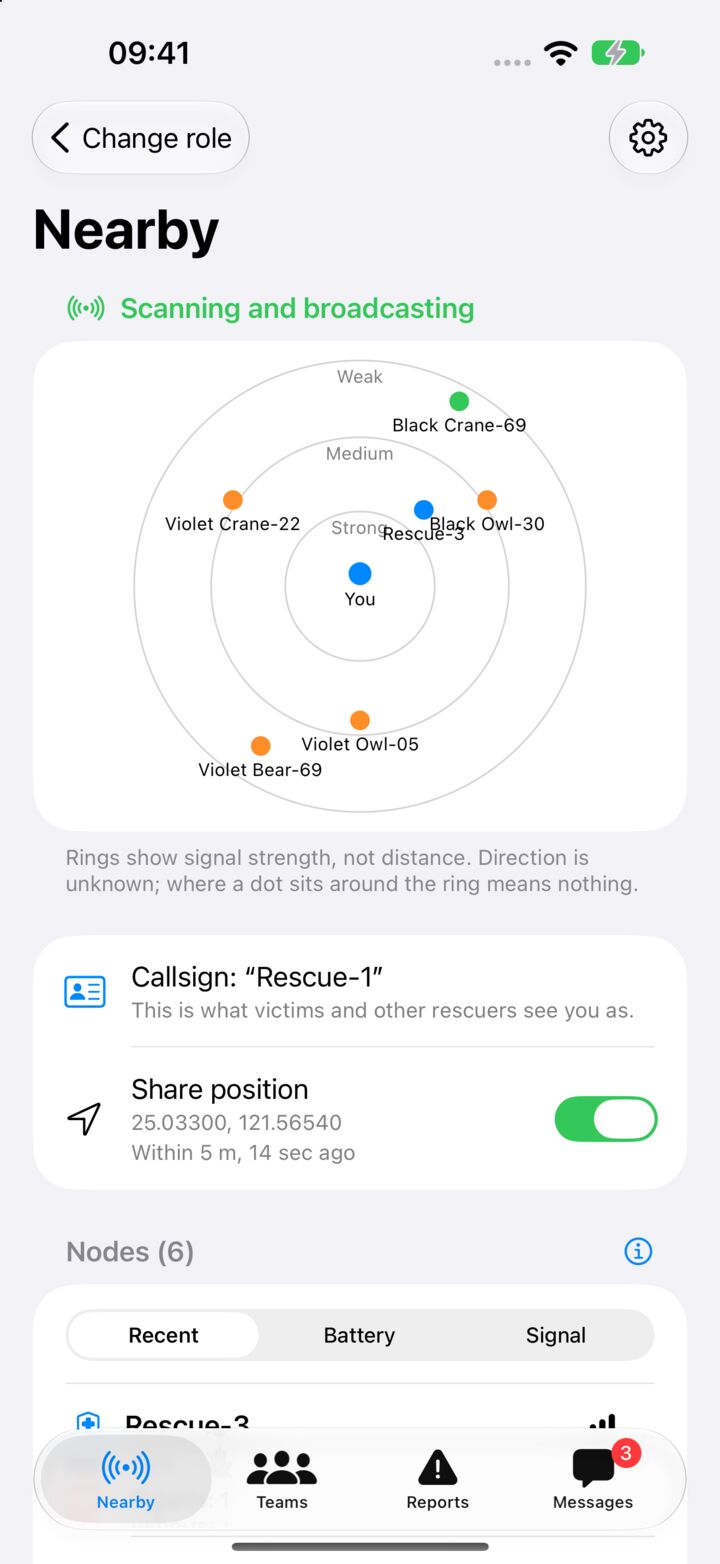
The rescuer's Nearby screen: a radar of the beacons around, ringed by signal strength.

Messages

Messages that travel phone to phone.

  • Talk with rescuers over Bluetooth, with no signal at all.
  • A message to someone out of your range is passed on by rescuers who can hear them.
  • See when a message has been delivered and read.
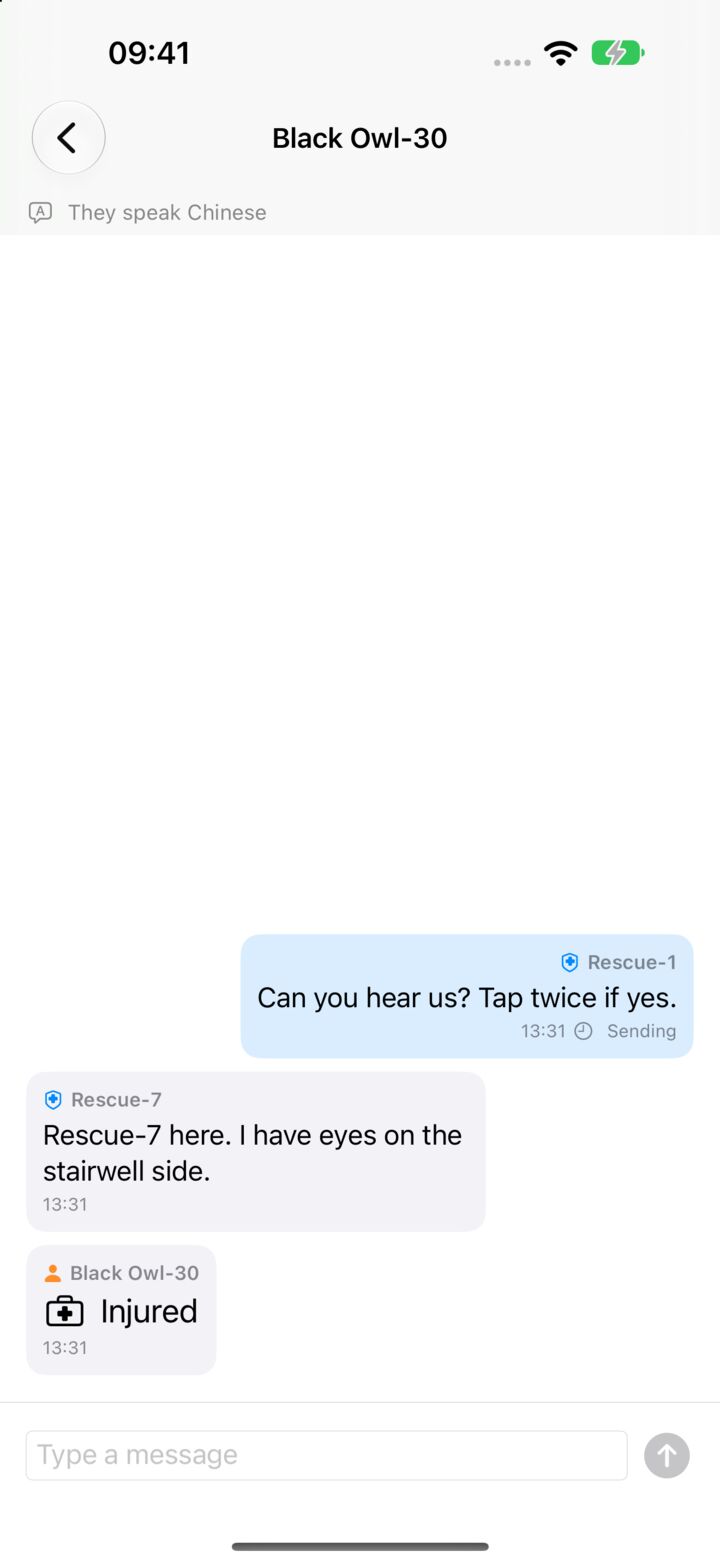
Messages between rescuers and a person who needs help, including a one-tap Injured report.

Privacy

No server. No account.

Your personal and medical details stay in your phone's keychain, and you choose what to share when you ask for help. The developer never receives anything you enter.

Anyone nearby in the rescuer role can read what you share, none of it is verified, and Bluetooth transfers are not encrypted in this version. Read the privacy policy.

Set it up before you need it.

Download on the App Store

Free · iPhone and iPad · iOS 18.6 or later · Both phones need HelpKnock